
89% OFF! — WordPress Hosting, annual: €1.30/mo — 89% OFF! ... CLICK HERE! 89 % RABAT! — WordPress Webhotel, årligt: kr 9.10/md. — 89 % RABAT! ... KLIK HER! 89 % RABATT! — WordPress Webhotell, årlig: kr 14.20/mnd — 89 % RABATT! ... KLIKK HER! 89 % RABATT! — WordPress Webbhotell, årligen: kr 13.00/mån — 89 % RABATT! ... KLICKA HÄR! 89 % RABATT! — WordPress Hosting, jährlich: €1,30/Monat — 89 % RABATT! ... HIER KLICKEN! 89 % DE RÉDUCTION ! — Hébergement WordPress, annuel : 1,30 €/mois — 89 % DE RÉDUCTION ! ... CLIQUEZ ICI !
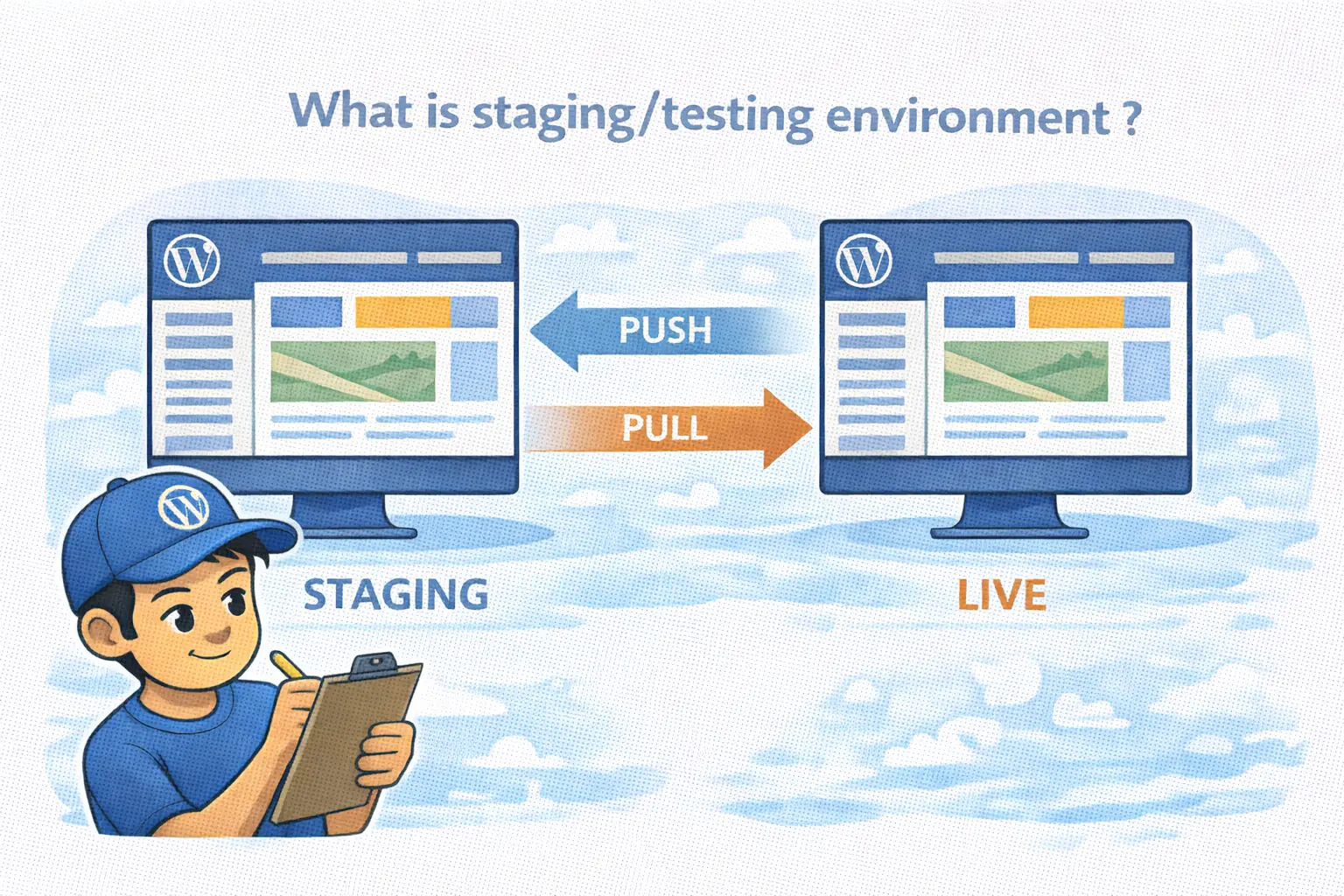
What is staging environment meaning for my website?
A staging environment is a private clone of your live website. It acts as a safety net where you can test changes, updates, or new designs without your visitors seeing the work in progress… or experiencing downtime.
Why should I use a staging site instead of editing live?
Editing a live site is risky because even small updates can cause unexpected conflicts. Staging allows you to test everything in a private space, fix any issues, and only go live when you are certain everything works perfectly.
What is a push pull strategy in web development?
It is the process of moving data between your environments. You “pull” your live site to staging to work with fresh data, and “push” your tested changes from staging back to the live server once they are ready.
Does testing websites on staging affect my SEO?
No. A professional staging system automatically blocks search engines from indexing the test site. This ensures you don’t have duplicate content issues and your SEO rankings remain protected while you work.
Is it difficult to set up a staging site?
Not with the right tools. Modern hosting allows you to create a full staging environment with a single click… so you don’t have to deal with manual migrations or moving files yourself.
Maintain Stability with a Staging Environment
Making changes directly to a live website often leads to unnecessary stress. Whether it is a plugin update or a small design tweak, doing it live means any error is immediately visible to your customers.
- A plugin update might break your layout.
- A new script might slow down your page speed.
- A simple change could accidentally break your checkout flow.
A staging site removes these risks by giving you a private area to work.
WebQuickster Insight: A staging site is essentially an insurance policy for your website. Most critical site failures happen during routine updates that haven’t been tested properly. By using a push pull strategy, you ensure that your live business remains stable while you develop new features in the background… It moves your workflow from guessing to knowing that an update is safe.
What is a Staging Site?
In simple terms, it is an exact replica of your live site hosted on a private URL. It is a dedicated space for testing websites before any changes are made public. It allows you to experiment with new themes or plugins without any pressure… or fear of breaking things.
The Push Pull Strategy: How It Works
A modern staging system makes it easy to move data back and forth. This is what we call the push pull workflow:
- Pull: You take a fresh copy of your live site and bring it into the staging area. This ensures you are testing on your actual, current content.
- Push: Once you’ve verified that your changes are perfect, you “push” those specific updates back to the live site.
This makes your website management predictable and professional.
Why Testing Matters
Many site owners rely on a quick manual check after an update. However, a proper staging environment allows for more thorough checks:
- Plugin Compatibility: Check if new tools conflict with your existing setup.
- Database Integrity: Ensure that pushing changes won’t interfere with recent customer orders.
- Performance: See if a new design impacts your load times before it affects your visitors.
The WebQuickster Staging System
We have built our staging system to be fast and straightforward. We wanted to remove the technical hurdles so you can focus on building your site… and not on technical troubleshooting.
Key features include:
- One-click staging creation.
- Selective syncing… choose to move files, the database, or both.
- Safety first… we always recommend a manual backup before you push changes to the live site.
- Built-in privacy to keep your test site hidden from the public and search engines.
Final Thought
Your website is your most important digital asset. Treating it with a professional workflow… testing in staging before going live… is the best way to ensure long-term stability and a better experience for your users.
🚀 Ready to try it? You can find the new Staging Manager in your WebQuickster dashboard. If you have questions about how to get started, our team is here to help.