
89% OFF! — WordPress Hosting, annual: €1.30/mo — 89% OFF! ... CLICK HERE! 89 % RABAT! — WordPress Webhotel, årligt: kr 9.10/md. — 89 % RABAT! ... KLIK HER! 89 % RABATT! — WordPress Webhotell, årlig: kr 14.20/mnd — 89 % RABATT! ... KLIKK HER! 89 % RABATT! — WordPress Webbhotell, årligen: kr 13.00/mån — 89 % RABATT! ... KLICKA HÄR! 89 % RABATT! — WordPress Hosting, jährlich: €1,30/Monat — 89 % RABATT! ... HIER KLICKEN! 89 % DE RÉDUCTION ! — Hébergement WordPress, annuel : 1,30 €/mois — 89 % DE RÉDUCTION ! ... CLIQUEZ ICI !
Do I need technical experience to build a WordPress course site?
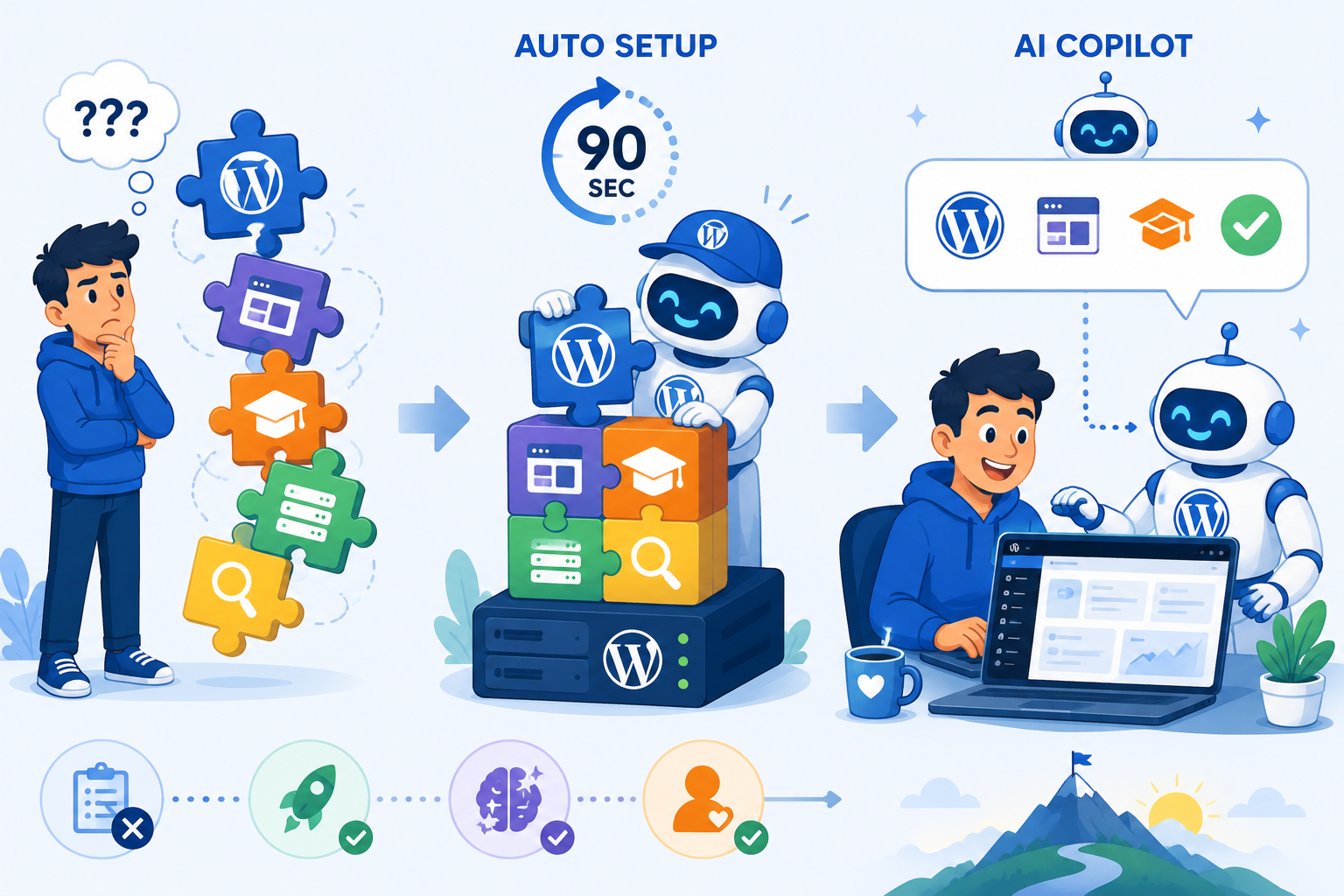
No. WebQuickster handles the technical setup automatically. You choose the Education type, fill in your site name and language, and the system installs WordPress, LearnPress, and a theme in about 90 seconds. No FTP, no plugin uploads, no server configuration.
What is LearnPress and why is it included?
LearnPress is a free WordPress LMS plugin used on hundreds of thousands of sites. It lets you create structured courses with lessons, quizzes, progress tracking, certificates, and payments. WebQuickster installs and configures it automatically as part of the Education setup.
How is WebQuickster different from other WordPress hosting for courses?
Most hosts give you a blank WordPress install and a long setup guide. WebQuickster auto-installs WordPress, LearnPress, and your theme in 90 seconds, then places a Starter Guide inside your WordPress dashboard. One button copies the guide as Markdown so you can paste it into Claude, ChatGPT, or Gemini — and the AI already knows your exact setup.
Is my student data GDPR compliant?
Yes. WebQuickster runs on Hetzner servers in Germany. Your data stays in the EU by default. No extra configuration needed.
Can I sell courses and accept payments?
Yes. LearnPress supports paid courses out of the box. You can connect a payment gateway and start selling from day one.
Every guide on building a course site with WordPress ends the same way: a 3,000-word checklist and a cheerful “now go figure it out.”
Ten steps. Choose hosting, install WordPress, fix your permalinks, pick an LMS plugin, buy a premium theme, structure your modules, move your video off-server, build a marketing funnel, learn SEO.
That is a lot of friction between your idea and your launch.
Most of those guides share one structural problem: they are written by people who earn money when you click their hosting links. Every step is an opportunity to recommend a product. So the guide gets longer, more detailed… and paradoxically harder to actually follow.
The technology has gotten simple enough that you do not need ten steps anymore. You need one decision and about 90 seconds.
What LearnPress gives you out of the box
LearnPress is the LMS plugin WebQuickster installs automatically with the Education setup. It is free, actively maintained, and powers hundreds of thousands of WordPress course sites. With it installed, your site can:
- Host structured courses with sections and lessons
- Add quizzes to test student knowledge
- Track student progress automatically
- Issue completion certificates
- Accept payments for premium courses
That is a complete online course platform from day one. Not a prototype.
How the WebQuickster Education setup works
You select the Education setup type, fill in your site name and language preferences, and choose a theme. Blocksy is the default… a modern, fast theme that works cleanly with LearnPress.
In about 90 seconds, WordPress is installed with LearnPress configured and your theme activated. No FTP. No manual plugin uploads. No permalink settings to remember.
When the setup is complete, you open your WebQuickster dashboard, go to Websites, and click “Open homepage.” Your site is ready.
The part no other host offers: your AI co-pilot
Inside your WordPress dashboard, the WebQuickster Starter Guide is waiting. It knows your theme, your plugins, and whether you set up an education site or a shop or a blog.
One button copies the guide as Markdown. Paste it into Claude, ChatGPT, or Gemini… and the AI is no longer giving you generic WordPress advice. It is working from the actual documentation for your actual setup.
WebQuickster insight: When you get stuck, you are not searching forum threads or watching YouTube videos from 2019. You ask the AI, and it already knows your site.
Who this is for
- Coaches and consultants who want to package their knowledge without hiring a developer
- Teachers and trainers moving their content from in-person to online
- Bloggers and content creators who have an audience and want to monetize with a course
- Small businesses adding employee training or customer onboarding to their WordPress site
Final thought
Stop reading ten-step guides. Your course does not need ten decisions before the first lesson. It needs a solid WordPress foundation, a working LMS, and a clear next step.
Start your Education setup at WebQuickster — WordPress, LearnPress, and your Starter Guide ready in 90 seconds.